From the job walk to the paid invoice, on one system
Follow a job all the way through. Price it on site, run the work, watch the cost against the budget, pay your subs, bill your customer, and land it in QuickBooks without typing anything twice.
Walk The Job, Price It There
Quote before you leave the driveway.
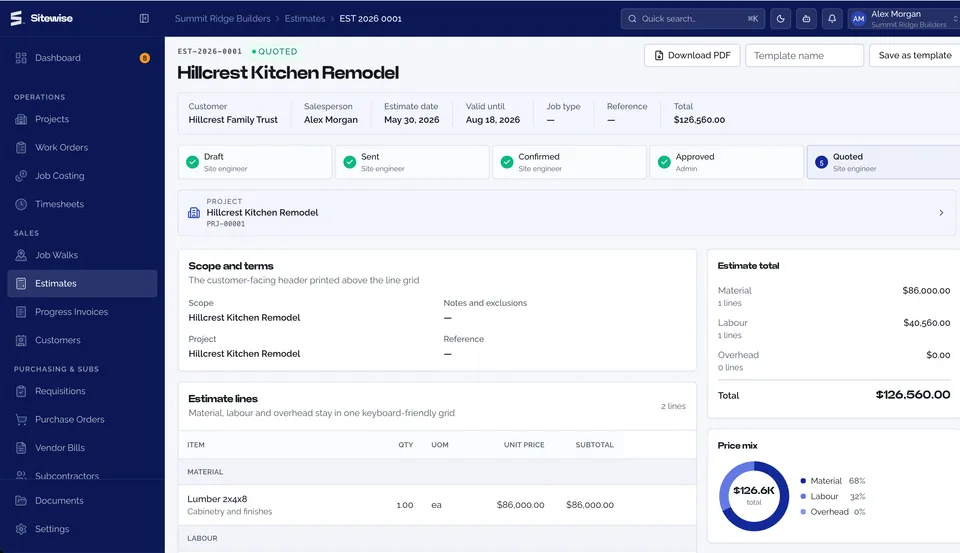
Walk the site on your phone. Capture photos, measurements and notes against the address, then build the estimate from your own catalog while you are still standing in the kitchen. Win the job and that estimate becomes a live project with its budget already set. Nothing gets typed twice.
- Job walks with photos, notes and location
- Estimate builder on your own cost catalog
- Revisions and validity dates
- Accepted estimate becomes a budgeted project
Run The Work
Everyone knows what is theirs today.
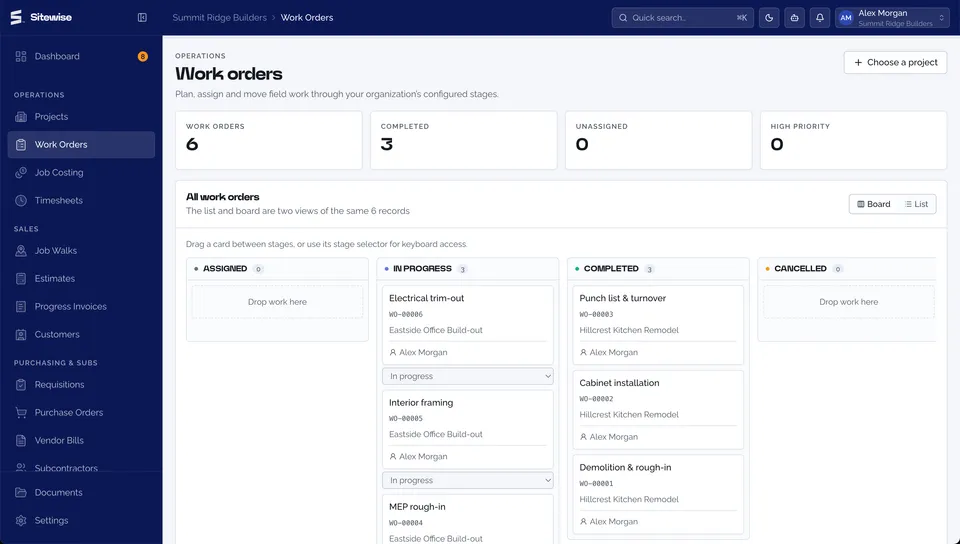
Projects break into work orders and work orders land on a crew's phone, signal or no signal. They start it, finish it, and attach the proof from site; it queues on the device and syncs itself once there are bars again. Back at the office every open item rolls into one queue, so nothing sits waiting on someone who forgot they owned it. The day itself gets written down too: one daily log per project with the crew, the weather, what got done and what held you up.
- Work orders assigned to crews
- Offline mobile with automatic sync
- GPS-stamped clock in and out
- Timesheets with approval
- Daily logs: crew, weather, work done, delays, photos
- Drawings and documents on the project
Watch The Money Move
Find the overrun while you can still do something about it.
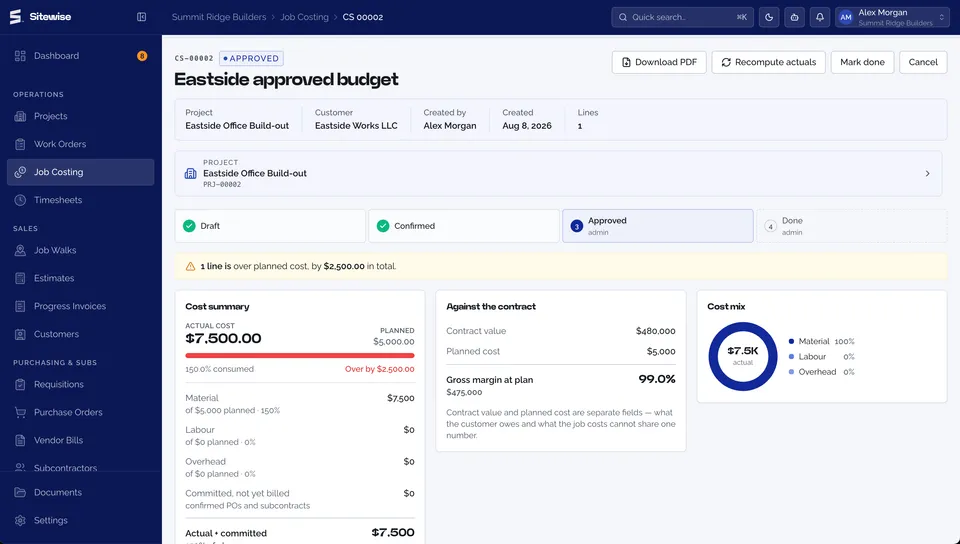
Every cost sheet carries the budget you signed up to. Labor from approved timesheets, materials from purchase orders and vendor bills, all of it lands against that budget the moment it happens. Plan versus actual moves in front of you, and a line that starts running hot raises an alert instead of a surprise at closeout.
- Cost sheets with live plan vs actual
- Labor, material and overhead in one ledger
- Overrun alerts before closeout, not after
- Drill from project total to a single cost line
Buy What The Job Needs
Committed cost, not surprise cost.
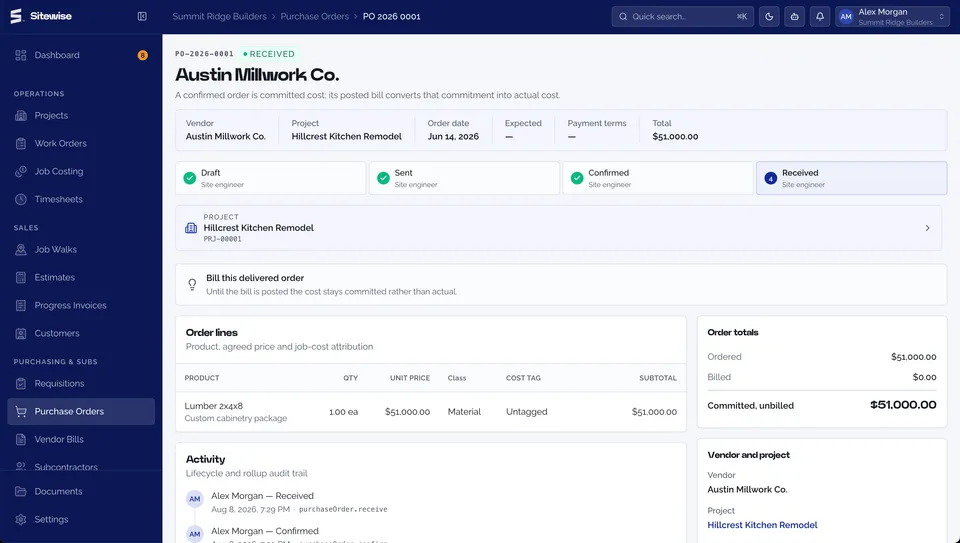
A crew raises a requisition, you turn it into a purchase order, and the vendor bill matches back against it. Committed spend hits the cost sheet the moment the PO goes out, so your budget reflects what you have promised, not only what you have already paid. Receiving that PO books the material in, so stock on hand keeps itself without anyone typing it twice.
- Requisitions raised from the field
- Purchase orders to your vendors
- Vendor bills matched back to the PO
- Product catalog with units of measure
- Inventory movements in and out, with stock on hand
Pay Subs, Hold Retention
Certificates that get the retention right.
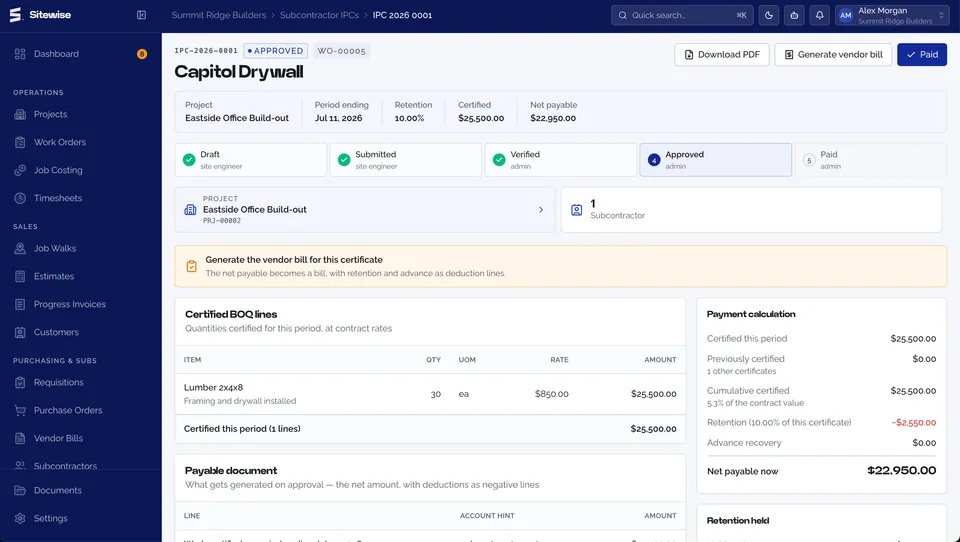
Certify subcontractor work with proper interim payment certificates. Retention is calculated on the period in front of you rather than smeared across the whole contract, released when you decide, and tracked in both directions. You always know what you are holding and what is being held from you.
- Interim payment certificates for subs
- Retention calculated per period
- Releases tracked on both sides
- Full certificate history per subcontractor
Bill For What Is Built
Progress billing against the real contract value.
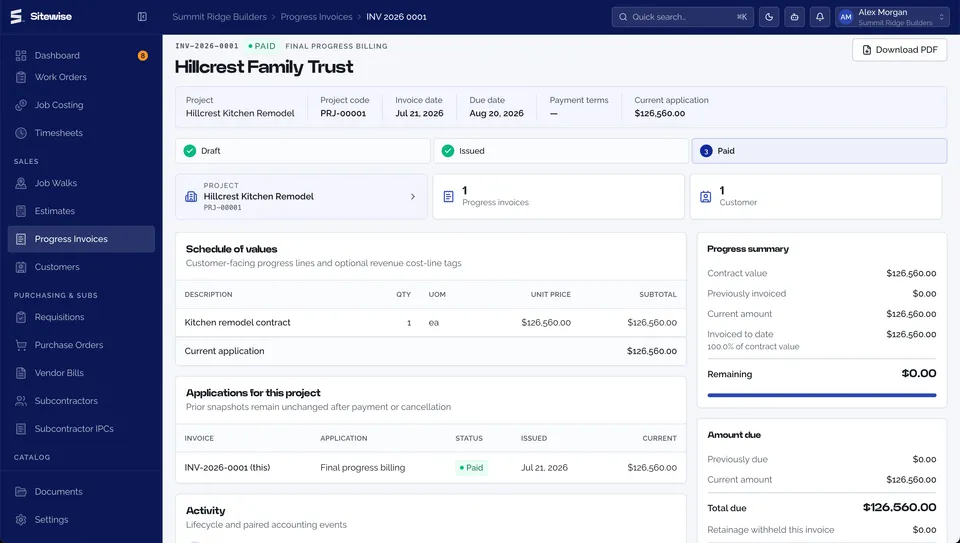
Invoice against contract value as the work completes. Change orders revise that value, so the number you bill against is the current one and not the one from the original signature. Customer retainage is held and released on your terms, and every invoice ties back to the job it came from. Send it to the customer from here, PDF attached, instead of downloading it and writing the email yourself.
- Progress invoices against contract value
- Email the invoice to your customer with the PDF
- Change orders that revise the contract
- Customer retainage and scheduled releases
- Every invoice traceable to job costs
Clean Books, Straight Answers
QuickBooks stays current. Copilot does the digging.
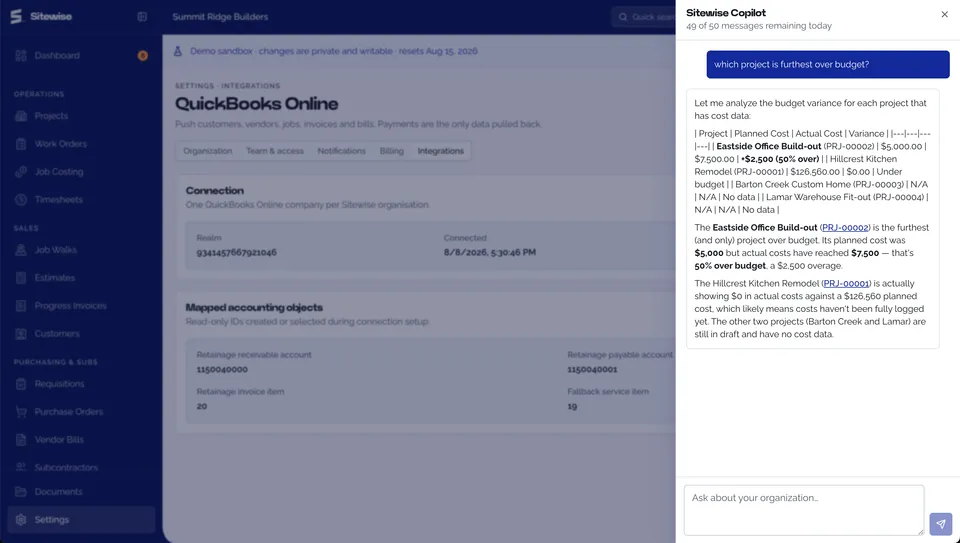
Invoices, bills and payments sync to QuickBooks, so your bookkeeper sees the same numbers you do without re-keying a thing. And when you want to know something, ask. Copilot reads your live jobs, costs and history, answers in plain language, and links straight to the record it got the answer from.
- QuickBooks sync for invoices, bills and payments
- Ask Copilot about live jobs and costs
- Answers link to the exact record
- Full activity log behind every change
Fits The Stack You Already Run
Sitewise owns the job. Your accountant keeps QuickBooks. Nobody re-keys anything.
Live today
- QuickBooks Online
On the way
- Xero
- Sage
- Card and ACH payments
- Gusto payroll
- Google Workspace
- Microsoft 365
The Competitive Advantages Sitewise Brings To Your Business
Stop Entering It Three Times
The estimate becomes the project. The timesheet becomes a cost. The invoice ties back to the job. One system instead of QuickBooks plus a spreadsheet plus a stack of paper tickets.
Know Profitability While It Matters
Stop learning a job lost money after it closed. Budget against actual moves as the work happens, and you get an alert when a line starts running hot.
Live In Minutes, Not Months
No 6 to 12 month implementation. No $50,000 of consulting. Pick your trade and the catalog, workflows and terminology arrive configured, so you are working the same day.
Built For The Field
Crews get a real app that works with no signal. Job walks, work orders, photos, signatures and GPS-stamped time, captured in the basement and synced the moment they are back in range.
Nothing Held Behind A Tier
Job costing, subcontractor certificates, progress billing and Copilot are on every plan. You pay for seats, not for the features you came here for.
A Fraction Of Enterprise Cost
A crew of 10 is $630 a month against $3,000 and up for ServiceTitan. No setup fee, no long-term contract, cancel anytime.
Ready To Run Your Business On One Platform?
14-day money-back guarantee. Pre-configured for your trade, so you can be running this week.